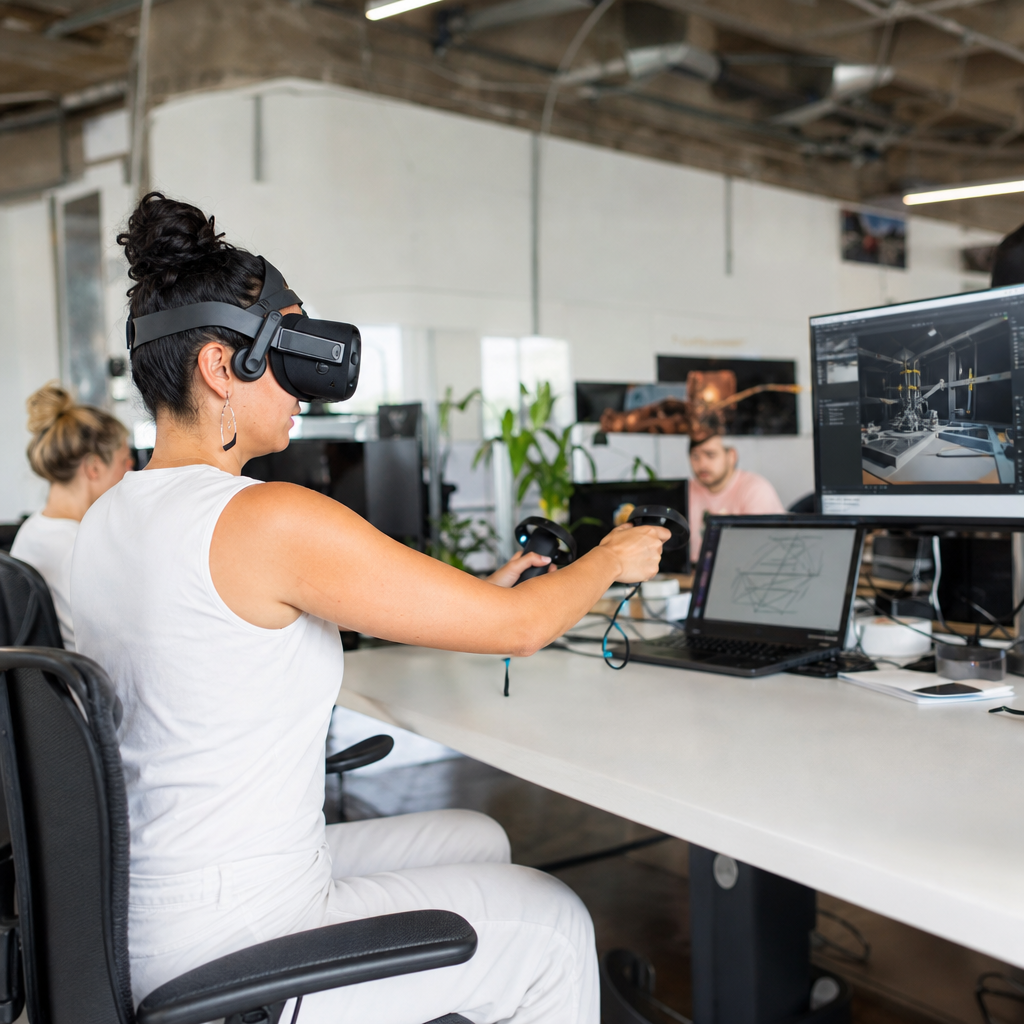
Virtual reality development has moved from a niche experiment to a practical software discipline, and anyone entering the field quickly discovers that the learning curve is both exciting and demanding. In this guide, I will map that learning curve in plain terms so new developers, career changers, students, and technical leaders understand what virtual reality development actually involves, which skills matter first, and how to build competence without wasting months on the wrong tools. Virtual reality development means designing and programming interactive three-dimensional environments experienced through headsets such as Meta Quest, HTC Vive, Apple Vision Pro, PlayStation VR2, and enterprise mixed-reality devices. It combines real-time graphics, user experience design, software engineering, spatial audio, performance optimization, and human factors.
The topic matters because VR is no longer limited to gaming. In Silicon Valley, I have seen teams use VR for surgical simulation, warehouse training, architecture review, product design, therapy, and remote collaboration. Companies hire for Unity developers, Unreal engineers, technical artists, 3D interaction designers, and XR product managers, but many candidates underestimate the breadth of the discipline. A strong learning plan reduces that gap. The core challenge is that VR punishes weak fundamentals. A mobile app can survive awkward transitions or minor latency, while a headset experience with poor frame timing, bad locomotion, or unclear interaction design can cause discomfort in minutes. That is why the best learning guide starts with foundations, sequences skills deliberately, and ties each step to real project outcomes.
This hub article covers the full learning curve for virtual reality development, from prerequisites and software choices to prototyping, testing, portfolio building, and career readiness. It also serves as a central reference point for deeper educational resources on engines, 3D math, interaction design, optimization, and deployment. If you are asking how hard virtual reality development is, how long it takes to learn, what to study first, or which mistakes to avoid, the short answer is this: VR is learnable, but progress is fastest when you treat it as an intersection of several disciplines instead of only a game development specialty.
What skills you need before specializing in virtual reality development
You do not need to master every adjacent field before starting, but you do need enough baseline literacy to understand how VR systems work. The strongest entry point is programming plus real-time 3D familiarity. For most learners, that means C# with Unity or C++ and Blueprints with Unreal Engine. I usually recommend Unity for absolute beginners because its learning materials, asset ecosystem, and XR tooling make iteration fast, while Unreal is often attractive for teams prioritizing visual fidelity, advanced rendering, or existing C++ pipelines. Either path is valid; the key is picking one and staying with it long enough to ship a small project.
Beyond engine knowledge, spatial thinking matters. You need comfort with vectors, transforms, colliders, cameras, coordinate systems, animation states, and event-driven logic. Basic 3D asset handling is also important even if you are not a modeler. You should know how to import meshes, manage materials, adjust polygon counts, bake lighting when appropriate, and diagnose scale errors. On the design side, VR developers must understand affordances, feedback loops, accessibility constraints, and motion comfort. In practice, this means knowing why snap turning is safer than smooth turning for many users, why hand presence can improve engagement, and why UI panels fixed too close to the face become unreadable and fatiguing.
How the virtual reality development learning curve typically unfolds
The VR learning curve is steep at the beginning because multiple concepts arrive at once: head tracking, controller input, stereoscopic rendering, interaction systems, and platform constraints. Most learners pass through four stages. First comes engine fluency, where you learn scenes, prefabs or actors, input systems, physics, and build workflows. Second comes XR implementation, where you connect headset SDKs, configure tracking origins, create grab interactions, and test locomotion patterns. Third comes optimization and comfort, where the discipline becomes more serious. Here you learn draw calls, GPU and CPU bottlenecks, occlusion, texture budgets, fixed foveated rendering, frame timing, and comfort heuristics. Fourth comes production thinking, where version control, QA, analytics, device certification, onboarding, and maintainability become essential.
In real projects, these stages overlap. A student may create a working grab system in a weekend, yet still struggle for weeks with scale consistency, controller mapping, and performance on standalone hardware. That is normal. Standalone headsets are especially educational because they force discipline. A scene that runs smoothly on a desktop GPU may fail on Quest hardware unless you reduce overdraw, simplify shaders, lower light complexity, compress textures, and tune culling. Many developers assume realism is the goal, but in VR, responsiveness beats visual excess. A stable frame rate is not optional; it is part of usability.
| Learning stage | Main focus | Typical tools | Common mistake |
|---|---|---|---|
| Foundations | Programming, scenes, input, physics | Unity, Unreal, Git, Blender | Switching engines too early |
| XR basics | Tracking, controllers, locomotion, UI | OpenXR, XR Interaction Toolkit, SteamVR | Copying templates without understanding them |
| Optimization | Frame timing, asset budgets, profiling | Unity Profiler, RenderDoc, OVR Metrics Tool | Testing only on a powerful PC |
| Production | QA, deployment, onboarding, analytics | Jira, GitHub, CI pipelines, device labs | Ignoring user testing until late development |
Choosing the right tools, platforms, and learning resources
The best toolset depends on your goal. If you want a job quickly, study the stack used by local employers and build for current hardware. In Silicon Valley, that usually means Unity or Unreal, OpenXR as the cross-platform standard, Blender for basic asset adjustments, Git for version control, and a profiling workflow that includes engine profilers plus device-specific metrics. OpenXR matters because it reduces fragmentation. Instead of targeting every vendor with separate implementations, developers can use a standard API for input, tracking, and rendering pathways, then extend where needed.
For learning resources, avoid random tutorials as your only strategy. Tutorials are useful for syntax and setup, but they often hide architectural decisions. I advise learners to combine official documentation, one structured course, one reference book or long-form technical source, and repeated small projects. Unity Learn, Unreal documentation, Blender manuals, Meta developer docs, and OpenXR specifications are reliable starting points. Pair those with deliberate exercises: build a teleport system, then rebuild it without following a video. Create a hand-based inventory, then add haptics and fail states. Repetition creates transferable skill; passive watching does not.
Designing comfortable, usable, and effective VR experiences
Comfort is the dividing line between a clever demo and a viable product. New developers often focus on what looks impressive, while experienced teams focus on what users can tolerate, understand, and complete. The foundational rules are consistent frame rate, low latency, readable interfaces, stable horizon references, and movement systems that match the use case. Teleport locomotion remains common because it reduces sensory conflict. Smooth locomotion can work, but usually needs comfort options such as snap turn, vignette, speed control, and seated-mode support.
Interaction design should feel discoverable. In one training simulation I helped evaluate, users repeatedly failed a simple equipment inspection because the grab affordance was unclear and the object highlight was too subtle. We changed the hand pose cue, added visual outline feedback, and spaced the interactive elements farther apart. Completion rates improved immediately without changing the core content. That is a typical VR lesson: usability problems are often solved through spatial cues and feedback, not more text. Good VR design also respects ergonomics. Reaching overhead for long periods, reading dense text blocks, or requiring precision pinches under fatigue will reduce session quality fast.
Building projects that prove competence and support career growth
The fastest way to learn virtual reality development is to ship scoped projects that demonstrate one difficult skill at a time. Employers and clients do not need a massive metaverse pitch; they need evidence that you can solve real problems. A strong portfolio might include a room-scale interaction prototype, a standalone training simulation optimized for Quest, a networked collaboration demo, and a usability case study showing how you improved completion time or comfort after testing. Each project should explain the objective, target hardware, technical stack, constraints, profiling results, and design decisions.
Career preparation also means understanding team workflows. Use Git or Plastic SCM properly, write readable commits, separate prototype code from reusable systems, and document headset setup steps so another developer can reproduce your build. If you want to work in enterprise VR, learn scenario scripting, LMS integration concepts, analytics events, and deployment realities for managed devices. If you prefer entertainment, study input responsiveness, environmental storytelling, and retention design. The hub approach is important here because learning does not end with one article. Use this page as your starting map, then go deeper into engine tutorials, 3D optimization, comfort design, interaction frameworks, and headset deployment guides. Virtual reality development rewards disciplined learners. Pick a platform, build small, profile early, test with real users, and keep expanding your educational resources with purpose.
Frequently Asked Questions
1. What does virtual reality development actually involve, and how is it different from traditional software development?
Virtual reality development combines software engineering, real-time 3D graphics, interaction design, spatial thinking, and performance optimization into a single discipline. Unlike traditional web or mobile development, where users interact through a flat screen, keyboard, or touchscreen, VR development places the user inside a simulated environment where movement, depth, scale, hand presence, and comfort all affect the experience. That means a VR developer does not just build features; they also design how those features feel in space, how users navigate naturally, and how the application maintains immersion without causing discomfort.
In practical terms, VR development often includes working with game engines such as Unity or Unreal Engine, integrating hardware SDKs, managing real-time rendering, building physics-driven interactions, handling controller or hand tracking input, and optimizing frame rates for head-mounted displays. Developers also need to understand concepts like stereoscopic rendering, locomotion systems, spatial audio, scene optimization, interaction feedback, and user comfort standards. A menu in a conventional app may be a simple interface component, but in VR, that same menu must be readable at the right distance, positioned comfortably in 3D space, and usable without breaking immersion.
The biggest mindset shift is that VR is user-experience sensitive in a way many other platforms are not. Small technical mistakes can have large usability consequences. Poor performance can cause motion sickness, awkward interaction design can make a polished application feel clumsy, and unrealistic scale can undermine presence immediately. So while traditional programming skills remain essential, successful VR development requires thinking beyond code and into embodied interaction, environmental design, and human perception. That is why the field feels demanding at first, but it is also what makes it so rewarding.
2. Which skills should a beginner learn first to become competent in virtual reality development?
The smartest starting point is to build a strong foundation in core programming and one major real-time development platform before trying to learn every VR specialty at once. For most beginners, that means learning either C# with Unity or C++/Blueprints with Unreal Engine, with Unity often being the more accessible entry point for new developers. Before diving into advanced interaction systems, it is important to become comfortable with variables, functions, classes, events, object-oriented thinking, debugging, scene management, and version control. These fundamentals make everything else easier and reduce the confusion that comes from trying to learn VR concepts on top of weak software basics.
After that, focus on 3D engine literacy. A beginner should understand scenes, cameras, transforms, prefabs or reusable assets, collision systems, rigidbody physics, lighting basics, animation systems, and UI frameworks. Once those concepts feel familiar, move into VR-specific essentials such as headset and controller input, hand interactions, object grabbing, teleportation, ray-based selection, and user comfort principles. You do not need to master photorealistic graphics or custom shaders immediately. In fact, many beginners waste time on advanced visual topics before they can build a stable interactive prototype. Competence comes faster when you can create small, working VR experiences repeatedly.
It also helps to develop adjacent skills in 3D math, user-centered design, and performance thinking. You do not need to be a mathematician, but understanding vectors, rotation, coordinate systems, and interpolation will save you time. Likewise, basic UX thinking is crucial because VR projects fail as often from confusing interaction as from bad code. Finally, get into the habit of profiling performance early. Smooth frame rates are not an optional finishing step in VR; they are part of the product’s basic functionality. If you learn programming, engine workflow, interaction design, and optimization together in the right order, your progress will be much more efficient.
3. What tools, engines, and platforms are best for learning virtual reality development without wasting time?
For most learners, the best approach is to choose one engine, one programming path, and one or two target headsets rather than spreading attention across the entire VR ecosystem. Unity remains one of the most beginner-friendly engines for VR development because it has a large learning community, mature documentation, extensive tutorials, and strong support for rapid prototyping. It is especially useful for developers who want to learn interaction systems quickly and iterate on ideas without wrestling with too much engine complexity at the beginning. Unreal Engine is also an excellent option, particularly for high-end visual fidelity and teams interested in advanced rendering pipelines, but it can feel heavier for absolute beginners depending on their background.
In terms of hardware and platform focus, many newcomers benefit from starting with commonly supported standalone and PC VR ecosystems, especially where there are accessible development workflows and large user bases. It is generally more productive to build for a platform that has solid tooling, active developer support, and realistic deployment opportunities than to chase every headset on the market. Cross-platform frameworks and standardized APIs can also reduce long-term friction, but beginners should avoid over-abstracting too early. If you have not yet shipped even a small VR prototype, broad compatibility strategies are less important than learning how to build one excellent, stable experience from start to finish.
You should also be selective about tutorials and asset dependencies. Many learners lose months by piecing together outdated videos, conflicting SDK versions, and overly complex starter kits they do not understand. A better path is to use current official documentation, a structured beginner course, version-controlled sample projects, and a small set of well-supported tools. Treat your toolchain as part of your education strategy. The goal is not to collect software; the goal is to reduce friction so you can learn interaction, iteration, testing, and optimization in a disciplined way. In VR, clarity and consistency are usually better than feature overload.
4. How long does it typically take to learn virtual reality development well enough to build real projects?
The honest answer is that it depends on your starting background, how consistently you practice, and what you mean by “real projects.” Someone with prior experience in software development, game development, or 3D tools can often begin producing simple VR prototypes within a few weeks and reach solid junior-level competence within a few months of focused work. A complete beginner may need longer, especially if they are learning programming and 3D development concepts for the first time. VR development has a steeper learning curve than many expect because it layers spatial design, engine workflow, hardware testing, and performance constraints on top of coding fundamentals.
A practical timeline for many learners is to think in phases. In the first phase, usually the first one to two months of steady effort, the goal should be understanding your engine, writing basic scripts, importing assets, and building small interactions such as grabbing objects, teleporting, pressing buttons, or triggering events. In the second phase, often months two through four, the focus shifts toward cleaner architecture, more polished interaction, UI in 3D space, comfort-aware movement systems, and deployment to actual devices. In the third phase, which may follow over several more months, you begin solving production-style problems such as optimization, persistence, multiplayer integration, analytics, testing workflows, and more maintainable project organization.
The fastest learners are not always the ones who consume the most tutorials. They are usually the ones who build small, complete projects, test on real hardware frequently, and review their mistakes honestly. If your goal is employability or team readiness, you should aim beyond isolated demos and work toward a portfolio of finished prototypes that demonstrate interaction quality, performance awareness, and technical decision-making. In other words, competence in VR is less about how long you have studied and more about whether you can repeatedly turn concepts into stable, user-friendly experiences.
5. What are the most common mistakes new virtual reality developers make, and how can they avoid them?
One of the most common mistakes is trying to learn everything at once. New developers often jump between engines, hardware platforms, art pipelines, networking systems, and advanced rendering topics before they can reliably build basic VR interactions. This creates a false sense of progress while leaving major skill gaps unresolved. A better approach is to narrow your stack early, learn one engine deeply enough to be productive, and finish small projects before expanding into more advanced areas. Breadth has value, but in the beginning, focus creates momentum.
Another major mistake is underestimating user comfort and performance. In VR, frame rate instability, poor locomotion design, abrupt camera movement, incorrect scale, and cluttered interfaces can ruin an experience even if the underlying feature set is technically impressive. Beginners sometimes treat optimization as a late-stage cleanup task, but in VR it should be part of development from the start. Test on target hardware early, measure performance regularly, simplify scenes when needed, and choose interaction patterns that feel natural and predictable. Comfort-first design is not a compromise; it is a professional standard.
A third mistake is building in isolation from actual users and real headset testing. VR behavior that seems intuitive in the editor can fail completely when experienced in a headset. Hand positions may feel awkward, object distances may be wrong, text may be unreadable, and interactions may require more precision than users are willing to give. The solution is simple but often ignored: test often, test physically, and observe users directly. Watch where they hesitate, where they become uncomfortable, and where they misunderstand your design. The best VR developers iterate from evidence, not assumptions.
Finally, many beginners treat portfolio work as disposable practice rather than as proof of capability.