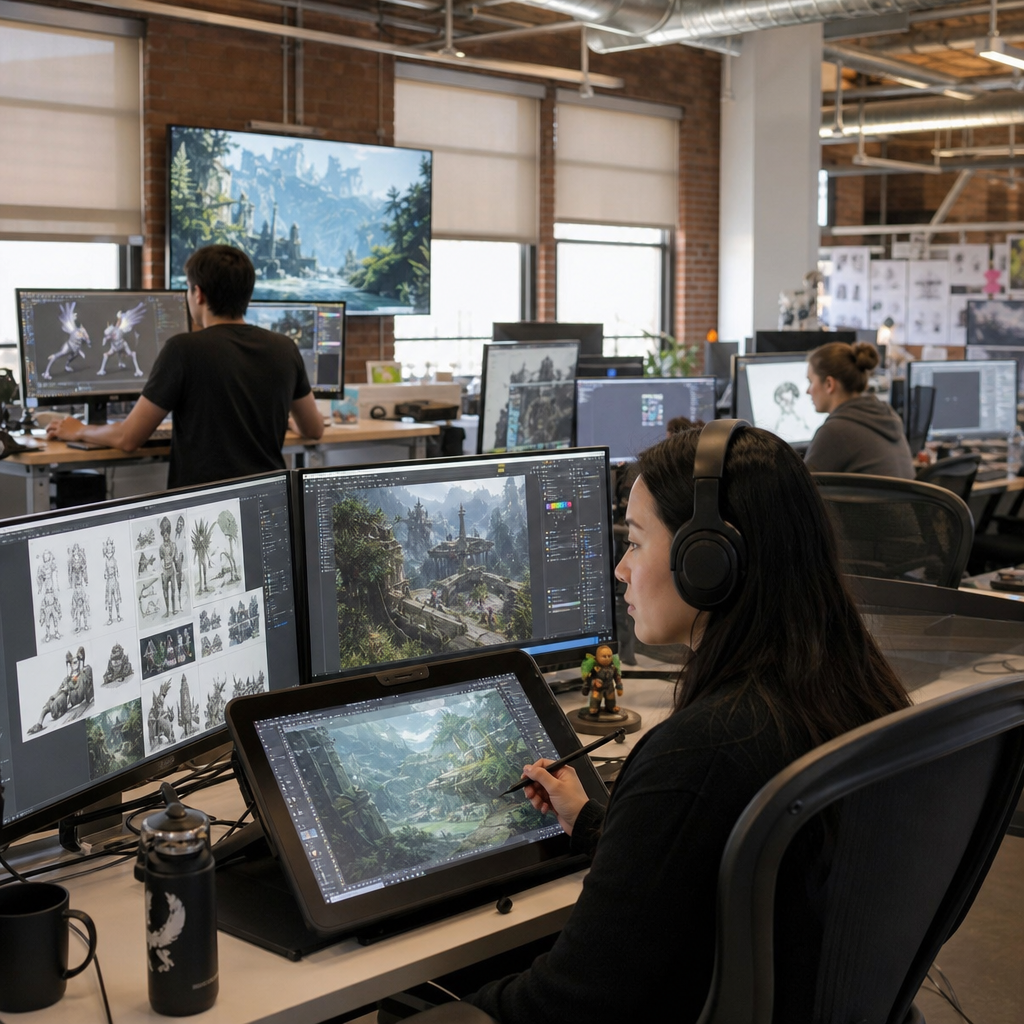
Silicon Valley’s approach to digital arts and animation is defined by a practical blend of creativity, software fluency, rapid iteration, and career-oriented learning. In this context, the learning curve means the real path students and working artists follow as they move from basic visual skills to production-ready competence in animation, motion design, game art, visual effects, and interactive media. After years of working with learners building portfolios, switching careers, and preparing for studio pipelines, I have seen one consistent pattern: progress happens fastest when artistic fundamentals and technical systems are taught together. That matters because the region’s employers, schools, and startups do not treat digital art as an isolated craft. They expect artists to understand storytelling, user experience, collaboration tools, deadlines, and emerging technologies such as real-time rendering and generative workflows. For anyone using this educational resources hub, the central question is not simply how to learn animation, but how to learn it in a way that matches the demands of contemporary production. Silicon Valley offers a useful model because it links education directly to tools, teamwork, and market needs while still rewarding experimentation.
The learning curve in digital arts and animation is often misunderstood. Beginners assume the hardest part is mastering software like Blender, Maya, Adobe After Effects, Toon Boom Harmony, Cinema 4D, Houdini, or Unreal Engine. In practice, software is only one layer. The steeper challenge is learning how visual decisions support communication, emotion, and function. A polished character turnaround, a clean motion graphics sequence, or a game environment only succeeds when composition, timing, anatomy, color, light, and narrative intent are working together. Silicon Valley training models recognize this early. They tend to emphasize project-based learning, critique culture, version control, and iterative feedback because those habits mirror real studio conditions. This article serves as the main educational hub for the learning curve within digital arts and animation, covering what students need to know, how skills build in sequence, which tools matter most, and how to turn scattered practice into deliberate professional growth.
Why the Learning Curve Is Different in Silicon Valley
Silicon Valley approaches digital arts and animation as part of a larger innovation ecosystem rather than a narrow fine arts track. That changes how people learn. In many traditional programs, students may spend long periods focused on isolated assignments. In Silicon Valley settings, learners are more likely to work on portfolio pieces tied to product design, advertising, games, short-form video, educational media, AR, VR, and interactive storytelling. The expectation is that art must perform in a real environment. A motion designer may need to explain a product feature. A 3D artist may need assets optimized for real-time engines. An animator may need to create work that functions on mobile screens, social platforms, and web interfaces.
This environment produces a distinctive learning curve: broad at the beginning, specialized later, and always connected to collaboration. Students are pushed to understand adjacent disciplines, including sound design, editing, coding basics, interface thinking, and production management. That does not mean everyone must become a hybrid generalist forever. It means early training values adaptability. In my experience, the artists who advance fastest are not the ones who collect the most software badges. They are the ones who can take feedback, diagnose weak fundamentals, and revise quickly without losing creative intent.
Core Skills That Build the Foundation
The strongest digital arts and animation education still begins with fundamentals. Drawing remains useful even for 3D-focused students because it trains observation, proportion, form, and gesture. Animation principles such as squash and stretch, anticipation, staging, arcs, timing, spacing, and follow-through are not optional theory; they are the basis of believable motion. Color theory helps artists control mood and hierarchy. Composition guides the eye. Typography matters in motion graphics and interface animation. Cinematography influences framing and camera movement in 3D scenes. These skills transfer across tools and platforms, which is why they shorten the long-term learning curve.
Technical literacy sits beside artistic fluency. Students should understand raster versus vector workflows, polygon topology, UV mapping, rigging logic, node-based compositing, keyframing, simulation basics, rendering passes, and file formats such as PNG, EXR, FBX, Alembic, and USD. A learner does not need full mastery of each concept on day one, but early exposure prevents confusion later when projects become more complex. Silicon Valley educators often introduce production terminology early because teams depend on shared language. When students know what a non-destructive workflow is, why naming conventions matter, and how asset handoff works, they become easier to integrate into real pipelines.
How the Learning Path Usually Progresses
Most learners move through a recognizable sequence. First comes visual literacy: learning to see shape, value, movement, and reference quality. Second comes software familiarity: understanding interfaces, tools, shortcuts, and basic output settings. Third comes structured project work, where skills begin to connect. Fourth comes specialization, such as character animation, environment art, motion graphics, VFX, UI animation, or technical art. Fifth comes professional readiness: portfolio editing, critiques, teamwork, deadlines, and client or studio communication. Problems arise when learners skip stages, especially by rushing into advanced tools before they can evaluate their own work.
| Stage | Main Focus | Common Tools | Typical Outcome |
|---|---|---|---|
| Foundation | Drawing, design, timing, observation | Sketchbook, Photoshop, Procreate | Stronger visual judgment |
| Software Basics | Interface fluency and simple exercises | Blender, Maya, After Effects | Basic scenes and animations |
| Project Building | End-to-end assignments | Premiere Pro, Harmony, Cinema 4D | Portfolio starters |
| Specialization | Role-specific workflows | Houdini, Unreal Engine, Substance 3D | Focused body of work |
| Professional Prep | Feedback, revision, presentation | ShotGrid, Figma, Git, Frame.io | Studio-ready portfolio |
This sequence is not rigid, but it is reliable. A student interested in 3D animation may still study editing to improve pacing. A motion graphics learner may benefit from storyboarding before touching keyframes. Silicon Valley programs often compress the timeline through intensive projects, but they do not eliminate the sequence. Competence still builds layer by layer.
Tools, Pipelines, and Industry Habits
One reason Silicon Valley’s digital arts and animation learning curve feels demanding is that students are often introduced to production habits earlier than expected. File organization, cloud collaboration, asset libraries, iterative review, and platform-specific exports are treated as normal from the start. In a studio, an excellent animation that is badly named, exported incorrectly, or delivered without version control creates friction. Schools and bootcamps that understand the region’s market teach students to think like contributors inside a system.
Pipeline awareness is especially important now. A modern workflow may include concept sketches in Procreate, layout in Blender, texture work in Substance 3D Painter, simulation in Houdini, compositing in Nuke or After Effects, sound in Audition, and final review through Frame.io. Real-time production adds Unreal Engine, where lighting, camera animation, and optimization become central. AI-assisted tools are entering ideation, rotoscoping, cleanup, and asset generation, but they do not replace fundamentals. In fact, they increase the need for judgment because artists must evaluate output quality, legal risk, stylistic consistency, and originality.
Students should also know that the best tool depends on the goal. Blender offers exceptional value and a growing professional ecosystem. Maya remains deeply embedded in many animation pipelines. Toon Boom Harmony leads in 2D television workflows. After Effects dominates motion design and explainer content. Houdini is unmatched for procedural effects. Unreal Engine is increasingly important for virtual production and real-time cinematic work. Learning curve decisions should be based on target roles, not brand popularity.
What Makes Learning Faster and More Effective
The fastest improvement in digital arts and animation comes from deliberate practice, not endless passive tutorials. Learners need short cycles of study, execution, critique, revision, and reflection. A useful weekly structure might include one day of fundamentals, two days of guided technical training, two days of portfolio project work, one critique session, and one review day for cleanup and notes. This rhythm works because it prevents knowledge from staying abstract. It also mirrors studio life, where production is always tied to feedback.
Mentorship matters. In every strong program I have seen, students advance when an experienced reviewer can identify the actual bottleneck. Sometimes the issue is anatomy. Sometimes it is weak easing in animation curves, poor scene readability, muddy values, inconsistent typography, or lack of hierarchy in a user interface motion piece. General encouragement is not enough. Effective critique is specific, prioritized, and actionable. Peer review also helps, especially when students learn to explain why one solution communicates more clearly than another.
Portfolio strategy is another accelerator. Five strong projects are more persuasive than fifteen average ones. Each piece should show a clear objective, process discipline, and finish quality. A character animator should include weight, acting, and mechanics. A motion designer should show pacing, transitions, typography, and brand sensitivity. A game artist should demonstrate optimization awareness, material work, and scene composition. Silicon Valley hiring managers often look for problem-solving as much as style.
Challenges, Tradeoffs, and Career Readiness
The Silicon Valley model is effective, but it is not effortless. Its biggest challenge is intensity. Students may feel pressure to learn multiple tools while also producing polished work. That can lead to shallow skill stacking if goals are unclear. Another tradeoff is specialization timing. Specialize too early and you may miss foundational gaps; specialize too late and your portfolio may look unfocused. The right balance is usually broad fundamentals in the beginning, followed by a role-driven body of work once strengths become clear.
Cost is another factor. High-end software, hardware, and training can be expensive, although free and lower-cost options have improved access dramatically. Blender, Krita, DaVinci Resolve, and Unreal Engine have expanded what learners can do without large budgets. Even so, time remains the real investment. Reaching employable quality in digital arts and animation typically takes sustained practice across many months or years. There is no shortcut around mileage.
Career readiness depends on more than artistic output. Communication, reliability, presentation skills, and the ability to revise without defensiveness are decisive. Employers want artists who can contribute to a pipeline, understand feedback, and keep quality consistent under constraints. If you are using this educational resources hub to navigate the learning curve, focus on fundamentals first, build projects that match your target role, learn the tools used in that niche, and seek regular critique. That approach reflects Silicon Valley at its best: creative, technical, iterative, and grounded in real outcomes. Start by auditing your current skills, choosing one specialization target, and building your next project with measurable intent.
Frequently Asked Questions
What makes Silicon Valley’s approach to digital arts and animation different from more traditional art education?
Silicon Valley tends to treat digital arts and animation as both a creative discipline and a production-driven technical field. That means students are not only encouraged to develop artistic taste, storytelling ability, and visual problem-solving skills, but also expected to become comfortable with software pipelines, deadlines, collaboration, and constant iteration. In more traditional settings, training may focus heavily on theory, technique, or fine art foundations in isolation. In Silicon Valley, those foundations still matter, but they are usually connected much earlier to real-world outputs such as motion graphics, game assets, animated shorts, UI visuals, visual effects, and interactive media experiences.
Another major difference is the emphasis on adaptability. Because the region is closely tied to technology companies, startups, entertainment tools, and digital product culture, artists are often trained to learn quickly, revise often, and respond to feedback with a practical mindset. The goal is not perfection on the first pass. The goal is building a repeatable process that allows an artist to move from concept to prototype to polished result. This creates a learning environment where experimentation is encouraged, but so is accountability. Students learn that creative work has to function in context, whether that context is a brand campaign, a game engine, a client brief, or a cross-functional production team.
Silicon Valley’s model also tends to be strongly career-oriented. Instead of asking only, “Can you make good art?” it asks, “Can you make work that fits professional workflows and communicates value to employers or clients?” That is why portfolio development, specialization, software literacy, and production readiness are central. The approach is practical without being creatively narrow. It assumes that strong artists need both imagination and execution, and that long-term success comes from combining design thinking, technical fluency, and the ability to keep improving in a fast-changing industry.
What does the learning curve in digital arts and animation usually look like for students and career changers?
The learning curve is rarely a straight line, and that is one of the most important things to understand. Most learners begin by focusing on visible skills such as drawing, composition, color, timing, editing, or 3D modeling basics. At this stage, progress can feel exciting because new tools and techniques produce immediate results. However, the deeper part of the learning curve begins when students realize that professional-level work depends on more than isolated exercises. They must learn process, consistency, feedback integration, file organization, asset preparation, presentation, and the standards of their intended field.
For students and working adults changing careers, the middle phase is often the most demanding. This is where they move from tutorial-based learning to intentional project building. In animation, that may mean understanding motion principles, acting choices, polish, and shot continuity. In motion design, it may mean learning typography, pacing, branding, and client communication. In game art, it may involve topology, texturing, optimization, and engine integration. In visual effects, learners may need to develop compositing logic, simulation awareness, and pipeline discipline. The challenge is that this phase requires not just more practice, but better practice. People have to stop asking, “How do I use the tool?” and start asking, “Why does this shot, asset, or sequence work professionally?”
Eventually, the learning curve becomes less about collecting skills and more about building judgment. Production-ready competence comes from doing complete projects, receiving critique, revising work, and understanding how individual pieces contribute to a larger portfolio narrative. Career changers often succeed when they accept that prior professional experience, such as communication, project management, discipline, or client handling, can be an advantage, even if their artistic skills are still developing. The most successful learners are usually the ones who stay patient, commit to steady output, and focus on visible growth over time rather than comparing their beginning to someone else’s finished career.
Which skills matter most for becoming production-ready in animation, motion design, game art, or visual effects?
Production readiness is built from a combination of core artistic ability, technical competence, and professional reliability. Across disciplines, strong fundamentals still matter tremendously. These include composition, timing, color, value, visual hierarchy, storytelling, anatomy or form where relevant, and an understanding of how audiences read images and motion. Software knowledge is important, but it is not enough by itself. A person can know a program well and still produce work that feels amateur if the underlying visual decisions are weak.
At the same time, every specialization requires concrete technical fluency. Animators need to understand workflow, blocking, spacing, polish, and performance. Motion designers need strong layout instincts, typography control, transition logic, and sensitivity to rhythm. Game artists need asset creation skills that work within technical constraints, including modeling, UVs, texturing, lighting, and optimization for real-time use. Visual effects artists need compositing awareness, effects logic, rendering knowledge, and the ability to integrate multiple elements convincingly. Interactive media artists may also need familiarity with prototyping tools, user experience considerations, and engine-based workflows. In Silicon Valley-style training environments, these skills are often taught with an emphasis on output: can the learner deliver a usable result in a realistic production context?
Just as important are the professional habits that many beginners underestimate. Employers and clients value artists who can take direction, revise without defensiveness, organize files properly, meet deadlines, explain choices clearly, and collaborate with other specialists. Those habits often determine whether someone is considered ready for team-based work. In practice, production-ready artists are not simply the most imaginative people in the room. They are often the ones who can consistently turn good ideas into polished deliverables, solve problems under constraints, and maintain quality through multiple rounds of iteration.
How important is software fluency in Silicon Valley’s digital arts and animation ecosystem?
Software fluency is extremely important, but it should be understood correctly. In Silicon Valley, software is not treated as a separate box to check. It is viewed as the working language through which ideas become usable assets, animations, experiences, and presentations. Being fluent means more than knowing where the buttons are. It means understanding efficient workflows, non-destructive practices, shortcut habits, export settings, compatibility issues, version control awareness, and how to move work from one tool or department to another without creating unnecessary friction.
That said, software fluency is most valuable when it supports creative intent. A strong training model does not encourage students to become tool collectors who know a little bit of everything but cannot finish meaningful work. Instead, it helps them become confident in a primary workflow while understanding adjacent tools that support their specialization. For example, a motion designer might need deep familiarity with animation and compositing software, but also benefit from understanding design platforms, 3D integrations, audio syncing, and delivery requirements for social, web, or broadcast contexts. A game artist may need a strong relationship between 3D software, texturing tools, and game engines. The point is not software for its own sake. The point is fluency that makes production smoother and outcomes stronger.
In the Silicon Valley mindset, artists are also expected to keep learning as tools evolve. New features, AI-assisted workflows, real-time rendering systems, procedural tools, and collaborative platforms continue to reshape digital production. The professionals who adapt best are usually those who have both solid fundamentals and a practical curiosity about changing technology. They do not panic when the toolset shifts, because they understand principles, process, and problem-solving. That balance is why software fluency matters so much: it is not just about current employability, but about long-term resilience in a rapidly changing creative industry.
What kind of portfolio best reflects Silicon Valley’s career-oriented approach to digital arts and animation?
The strongest portfolio is not the one with the most pieces. It is the one that clearly shows direction, quality, and relevance. Silicon Valley’s career-oriented perspective favors portfolios that demonstrate not only creativity, but also usability in a professional setting. That means work should be curated, intentional, and aligned with the roles a student or artist wants to pursue. A general collection of unrelated experiments may show enthusiasm, but a focused portfolio shows readiness. If someone wants to work in motion design, the portfolio should feature polished motion pieces with strong typography, pacing, branding, and transitions. If the target is game art, the portfolio should highlight optimized assets, textures, environments, props, or characters presented in a way that proves technical and artistic control.
Detailed presentation matters almost as much as the work itself. Recruiters, hiring managers, and clients want to understand what the artist contributed, how the piece was developed, and whether the result reflects a repeatable skill level. Breakdowns, process notes, style frames, wireframes, turntables, shot progressions, and before-and-after comparisons can be very useful when they are concise and relevant. This is especially true for students and career changers, because thoughtful presentation helps bridge the gap between learning experience and professional credibility. A portfolio should make it easy to see strengths quickly, without forcing viewers to guess what role the artist is aiming for.
Most importantly, a strong portfolio reflects growth and judgment. It should communicate that the artist knows how to edit their own work, prioritize quality over quantity, and present projects that fit current industry expectations. In a Silicon Valley context, that often means showing finished pieces that feel practical, contemporary, and production-aware,