
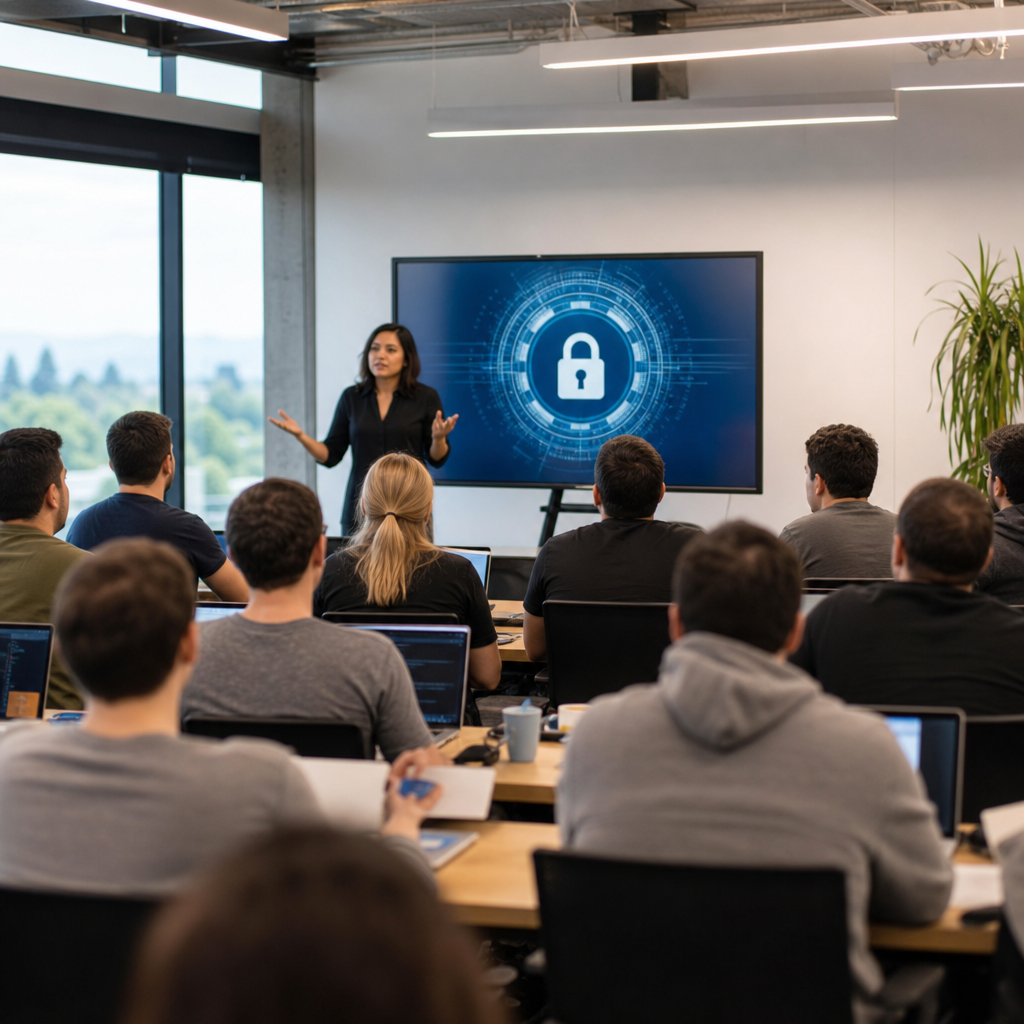
Silicon Valley’s online privacy and security education has become essential for anyone who uses cloud software, social platforms, mobile devices, or connected home technology. In practical terms, online privacy education teaches people how personal data is collected, shared, stored, and sold, while security education focuses on preventing unauthorized access, fraud, malware, and identity theft. I have worked with startup teams, school programs, and community organizations on both topics, and the pattern is consistent: people do not lack concern, they lack structured guidance. That gap matters because Silicon Valley products shape daily behavior worldwide, from messaging and payments to hiring platforms and health apps. When users understand privacy settings, authentication methods, phishing tactics, encryption basics, and data retention practices, they make better decisions and pressure companies to improve defaults. This hub page explains the core areas of expanding knowledge and skills, shows how privacy and security education is taught today, and gives readers a framework for choosing the right learning resources. It is designed as a starting point that connects technical concepts to real-life decisions, whether the learner is a student, parent, teacher, professional, or small business owner.
Why privacy and security education matters now
The urgency is not abstract. Data breaches regularly expose passwords, financial records, and sensitive personal information. Phishing campaigns increasingly imitate banks, schools, payroll systems, and collaboration tools with convincing detail. At the same time, many people use dozens of services without understanding browser tracking, location permissions, third-party app access, or how single sign-on affects account recovery. In Silicon Valley, where companies often move fast and launch features at global scale, education becomes the user’s first line of defense.
Good education does more than tell people to “be careful.” It teaches specific behaviors: using a password manager instead of reusing credentials, enabling multifactor authentication, reviewing device permissions quarterly, recognizing social engineering cues, and understanding what end-to-end encryption does and does not protect. It also helps learners ask better questions. Who can access this data? How long is it stored? What happens if I revoke consent? Can this setting reduce functionality? Those questions lead to informed choices rather than passive acceptance.
Core topics every hub in this area should cover
A strong educational resources hub should organize privacy and security into clear learning paths. In my experience, the most useful structure starts with data literacy. Learners need to understand personal data categories, including identifiers, behavioral data, biometric data, geolocation, and inferred profiles. From there, instruction should move into account security, covering unique passwords, password managers such as 1Password or Bitwarden, multifactor authentication apps like Google Authenticator or Authy, and secure recovery options. These are the habits that reduce preventable account compromise.
The next layer is platform awareness. People should learn how browsers handle cookies, how ad tech ecosystems track user activity, why app permissions matter, and how operating systems isolate or expose data. Network basics are equally important. Users benefit from plain-language explanations of secure Wi-Fi, HTTPS, DNS filtering, VPN limitations, and why public charging stations can introduce risk when data transfer is enabled. The final layer is response readiness: how to detect suspicious activity, preserve evidence, change credentials safely, freeze credit, and report incidents to relevant institutions.
How Silicon Valley organizations teach these skills
Silicon Valley’s approach to privacy and security education spans universities, public libraries, nonprofit digital literacy programs, corporate trust centers, and employer training portals. Stanford and Berkeley extension programs often connect cybersecurity principles with policy, human behavior, and product design. Public library workshops tend to focus on practical consumer protection, including privacy settings, scam identification, and safer browsing habits. Technology companies usually publish security centers, transparency reports, and help documentation, though the quality varies widely.
The strongest programs combine theory with repeated practice. For example, a lesson on phishing should not end with a definition. It should show realistic examples: a payroll email with a spoofed domain, a QR-code scam posted in a coworking space, or a fake support text requesting a one-time passcode. A lesson on privacy settings should include live walkthroughs on iPhone, Android, Chrome, Safari, and major social platforms. Adults learn faster when they can immediately apply changes on their own devices, and students retain concepts better when consequences are concrete rather than hypothetical.
Building a practical learning pathway
Most learners do not need a computer science background. They need a sequence that starts with high-impact habits and then expands into more advanced concepts. I recommend a phased model that mirrors how people actually adopt safer behavior: first protect accounts, then protect devices, then protect data sharing, then understand broader governance issues such as consent, retention, and algorithmic profiling. This order creates visible wins early, which improves follow-through.
| Learning stage | Main skills | Example tools or actions | Practical outcome |
|---|---|---|---|
| Foundation | Password hygiene, MFA, updates | Bitwarden, security keys, auto-update settings | Lower risk of basic account takeover |
| Device protection | Screen lock, backup, permissions review | iOS privacy dashboard, Android permission manager | Better control over local data exposure |
| Online behavior | Phishing detection, safer browsing, scam awareness | URL inspection, browser password alerts, spam filtering | Fewer social engineering failures |
| Data literacy | Tracking, consent, retention, sharing models | Cookie controls, app privacy labels, account download tools | More informed privacy decisions |
This kind of pathway works because it is cumulative. A parent helping a teenager with social media privacy can start at the foundation stage and still gain value without mastering network protocols. A small business owner can progress further by adding endpoint protection, staff phishing drills, and documented incident response steps. The hub should therefore connect beginners to task-based guides while also linking advanced readers to policy, compliance, and product security articles.
What effective privacy instruction looks like in real life
Effective privacy instruction is concrete, contextual, and honest about tradeoffs. For example, teaching location privacy should include the difference between precise and approximate location, background access versus while-in-use access, and the business reason apps request location even when the user does not expect it. It should also explain that turning off permissions can limit features such as delivery tracking, local recommendations, or emergency location sharing. People trust education more when it acknowledges these compromises directly.
Another example is messaging security. Learners should know that end-to-end encryption protects message content in transit from many intermediaries, but it does not automatically hide metadata such as who contacted whom, when, and sometimes from which device. They should also understand cloud backup implications. A secure messaging app can still expose message history if backups are unencrypted or if device access is weak. When explained in these terms, privacy stops sounding like ideology and starts sounding like operational decision-making.
What effective security training looks like in real life
Security training succeeds when it changes daily behavior under realistic conditions. Annual slide decks rarely do that. Short, repeated training modules perform better, especially when paired with simulation and feedback. In workplace settings, I have seen the best results from quarterly phishing simulations, mandatory password manager rollout, and simple reporting channels inside Slack, Teams, or email. Employees need to know exactly what to do when they receive a suspicious invoice, document request, or login alert.
For consumers, practical security education should cover device updates, passkeys, biometric locks, encrypted backups, and account recovery. It should explain why SMS-based authentication is better than no second factor but weaker than authenticator apps or hardware security keys. It should also address family realities, such as shared tablets, elderly relatives targeted by tech support scams, and children downloading games that request excessive permissions. Good instruction fits lived behavior instead of assuming ideal conditions.
How to evaluate educational resources and providers
Not all privacy and security education is equally useful. Readers should favor resources that are current, product-specific when necessary, and grounded in recognized standards. Good signs include references to NIST guidance, platform documentation from Apple, Google, or Microsoft, and transparent explanations of limits. Be cautious with advice that promises total anonymity, treats every VPN as a cure-all, or ignores usability. Overly rigid recommendations often fail in practice because users abandon them.
Quality providers also show their work. They use screenshots, version dates, and clear instructions for different skill levels. They distinguish between consumer privacy, enterprise cybersecurity, legal compliance, and digital rights advocacy rather than blending them into one vague message. A strong hub article should help readers navigate these differences. Someone seeking safer family device settings needs a different resource than an IT manager building a security awareness program or a founder drafting data governance practices for a startup.
Expanding knowledge and skills through a hub model
As a sub-pillar under educational resources, this topic works best as a hub because privacy and security learning is never truly one-and-done. People need a map that supports progression. Beginner articles should answer immediate questions such as how to create strong passwords, how to spot phishing, and how to review app permissions. Intermediate articles should explain browser privacy controls, data broker exposure, passwordless authentication, and encrypted communications. Advanced pieces can cover threat modeling, secure collaboration for remote teams, vendor risk, and privacy-by-design in product development.
The benefit of a hub model is continuity. A reader may arrive because they received a suspicious text, but they often leave ready to learn about identity monitoring, account recovery, or safer cloud storage. That progression expands knowledge and skills in a lasting way. It also reflects how Silicon Valley technology actually intersects with modern life: one account links to another, one permission affects several services, and one weak habit can undermine otherwise strong tools.
Silicon Valley’s online privacy and security education matters because it turns concern into competence. The most effective learning combines plain-language explanations, hands-on practice, realistic examples, and honest discussion of tradeoffs. Readers should leave this hub understanding the core pillars: data literacy, account security, device protection, phishing resistance, permission management, and incident response. They should also know how to judge the quality of future resources, looking for current guidance, named standards, and practical steps that fit real devices and real routines.
As this educational resources hub expands, its purpose is to help readers build knowledge in sequence rather than collect disconnected tips. Start with the basics that reduce risk immediately, then move into deeper topics that improve long-term control over personal data and digital safety. Review your accounts, update your devices, enable stronger authentication, and use this hub to choose the next skill to build today.
Frequently Asked Questions
What does online privacy and security education actually cover in Silicon Valley?
Online privacy and security education in Silicon Valley usually covers both the human and technical sides of staying safe online. Privacy education helps people understand what happens to their personal information when they use cloud platforms, social media apps, mobile devices, search engines, smart home products, and workplace software. That includes learning how data is collected, what permissions apps request, how companies track behavior, how information is shared with advertisers or third parties, and what rights users may have over their data. Security education focuses more directly on protection: creating strong passwords, using password managers, enabling multi-factor authentication, recognizing phishing attempts, securing Wi-Fi networks, updating software, avoiding malware, and reducing the risk of identity theft or financial fraud.
In Silicon Valley, the topic often goes further because the region sits so close to the companies building these tools. That means education frequently includes real-world discussions about platform design, default privacy settings, data monetization, algorithmic profiling, workplace cybersecurity culture, and the tradeoffs between convenience and protection. It is not only for engineers or IT teams. Parents, students, startup founders, remote workers, teachers, and older adults all benefit from learning how digital systems operate. The goal is practical literacy: helping people make informed choices, spot avoidable risks, and build habits that protect both their personal data and their digital accounts over time.
Why is privacy and security education especially important for people who use cloud software, social media, and connected devices?
It is especially important because modern digital life is deeply interconnected, and a single weak point can expose far more information than people realize. Cloud software often stores emails, documents, financial data, customer records, photos, calendars, and internal business communications in one place. Social platforms collect behavior patterns, contacts, location signals, interests, and content history. Connected devices such as smart speakers, cameras, doorbells, watches, TVs, and home automation systems may continuously gather usage data and connect to broader online accounts. When users do not understand how those systems work, they can unintentionally share too much, accept risky permissions, or leave accounts and devices exposed.
Education matters because threats are no longer limited to obvious computer viruses. Today’s risks include account takeovers, impersonation scams, ransomware, credential stuffing, hidden app trackers, oversharing through default settings, and data breaches that affect millions of users at once. Even people who are not high-profile targets can be affected by leaked passwords, reused login credentials, fake customer support messages, or unsafe public Wi-Fi habits. Privacy and security education gives people the context to understand these risks before something goes wrong. It helps them review settings, limit unnecessary data exposure, separate personal and professional accounts, and respond quickly if suspicious activity appears. In a region where digital tools are part of everyday work, school, and home life, that knowledge is no longer optional; it is a basic life skill.
How can beginners improve their online privacy and security without being technical experts?
Beginners can make meaningful improvements by focusing on a short list of high-impact habits. The first step is using unique, strong passwords for every account and storing them in a trusted password manager. This removes one of the biggest risks: password reuse across multiple services. The second step is enabling multi-factor authentication wherever possible, especially for email, banking, cloud storage, and social media accounts. Since email accounts are often the gateway to password resets and account recovery, protecting email should be a top priority. People should also keep phones, laptops, browsers, apps, and smart devices updated so they receive current security patches.
On the privacy side, beginners should review account settings and app permissions with a simple question in mind: does this service really need access to my contacts, microphone, camera, location, or photos all the time? Limiting unnecessary permissions can significantly reduce data collection. It also helps to be more intentional about what is shared publicly on social media, what is stored in cloud services, and which links or attachments are opened from messages. Learning to pause before clicking is one of the most effective anti-fraud habits. Another useful practice is checking whether personal information has appeared in known data breaches and changing exposed passwords immediately. None of these steps require advanced technical training. They are practical, repeatable behaviors that lower risk quickly and give users more control over their digital footprint.
What are the most common mistakes people make with online privacy and security?
One of the most common mistakes is assuming privacy and security are the same thing. A person may secure an account with a strong password but still share excessive personal information through app permissions, public profiles, location history, or connected device settings. Another frequent mistake is relying on default configurations. Many apps and platforms are designed for convenience and growth, not maximum privacy. If users never review settings, they may unknowingly allow broad data sharing, ad tracking, public visibility, or long-term retention of personal activity. Reusing passwords is also a major error because one compromised account can create a chain reaction across other services.
People also tend to underestimate social engineering. They may think cyber threats always look technical, when in reality many attacks succeed by creating urgency, fear, or trust. A fake bank text, a spoofed login page, a phony invoice, or a message that appears to come from a colleague can be enough to trigger a mistake. Other common problems include ignoring software updates, connecting to insecure networks, failing to back up important data, and overlooking the security of family members or coworkers who share devices and accounts. In connected homes, users often forget that a smart camera, router, or voice assistant is also part of their security environment. Good education addresses these patterns directly by teaching people how ordinary choices affect both privacy exposure and security resilience.
How do schools, startups, and community organizations benefit from privacy and security education programs?
Schools, startups, and community organizations benefit because education turns abstract risk into clear, preventive action. In schools, students and educators learn how to protect accounts, evaluate apps, avoid scams, manage digital footprints, and understand the long-term impact of sharing personal information online. That is increasingly important as learning platforms, cloud collaboration tools, and student devices become central to education. Strong programs also help families by providing guidance they can use at home, from setting parental controls to discussing social media safety and device hygiene in age-appropriate ways.
For startups, privacy and security education can prevent expensive mistakes early. Founders and employees often move quickly, adopt many tools, and handle customer or business data before mature policies are in place. Training helps teams choose safer workflows, protect intellectual property, reduce phishing risk, manage access controls, and think more responsibly about data collection and retention. That creates trust with customers, investors, and partners. Community organizations benefit in a similar way because they often serve people who are especially vulnerable to online fraud, identity theft, harassment, or misinformation. Practical instruction empowers staff and participants to recognize threats, protect sensitive records, and navigate digital services with more confidence. In all three settings, the broader value is the same: privacy and security education builds awareness, strengthens decision-making, and creates a culture where people are more prepared, less reactive, and better able to use technology safely.